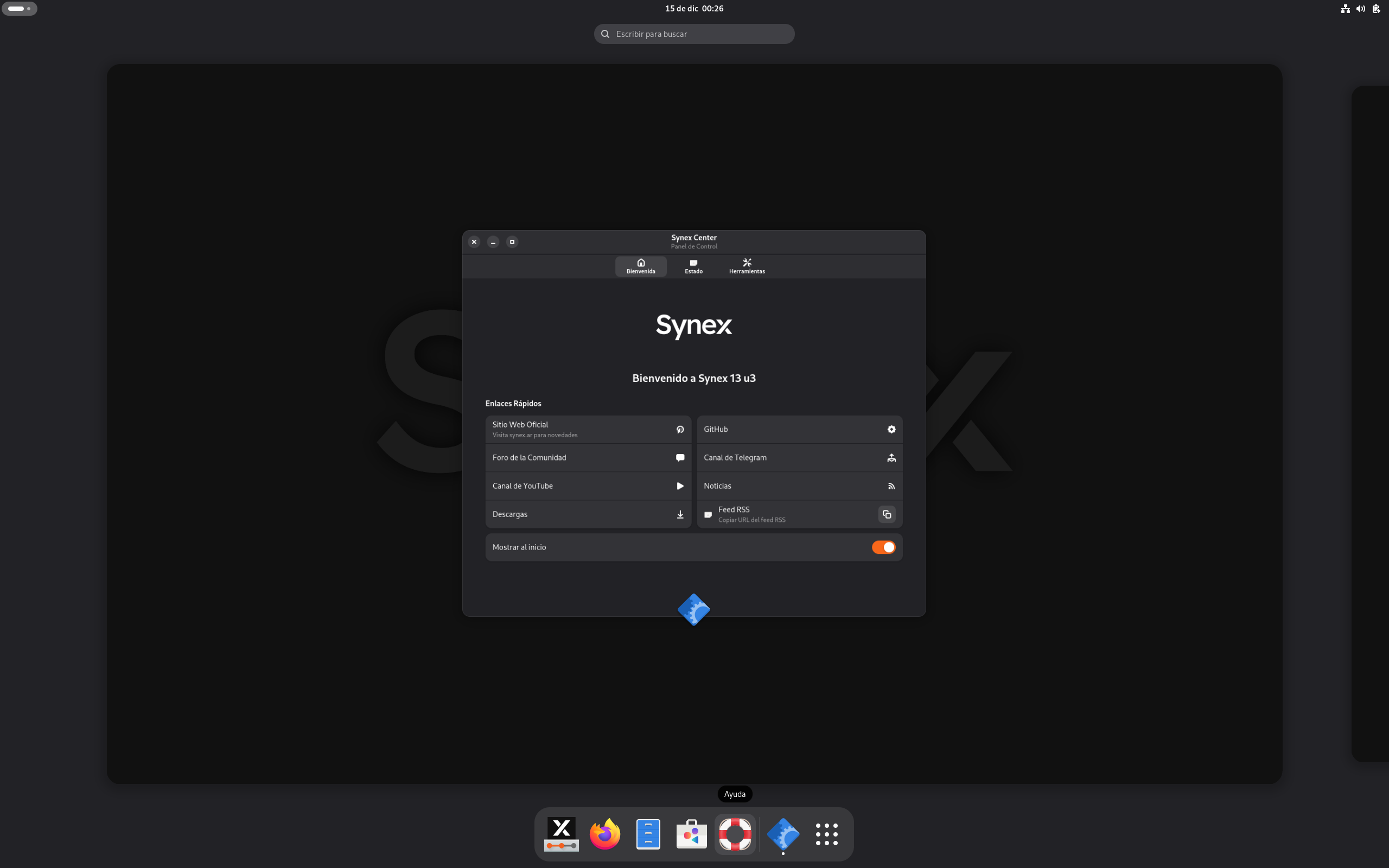
Synex Review
Synex 26.10.17: A Frugal Debian System From Argentina That Leaves the Extras Out
Many distributions compete by adding more. Synex competes by starting with less. According to its DistroWatch listing, Synex is a GNU/Linux distribution based on Debian’s “Stable” branch, developed with the official Debian Live Build tool, and shipped in a deliberately frugal default state — without any development tools or office suites preinstalled.
The newest release in DistroWatch’s feature table is Synex 26.10.17, released on 17 October 2026, and DistroWatch carried its release announcement the same day. It is free, listed as Active, and categorised by DistroWatch as Desktop, Live Medium and Server. DistroWatch lists its origin as Argentina, its architecture as x86_64, and its base as Debian (Stable) and Debian (Testing). It sits at number 71 in DistroWatch’s popularity rankings with 178 hits per day, and visitors rate it a notably strong 8.9 out of 10 from 9 reviews.
That Debian foundation will be familiar to anyone who has read our Debian review — Synex takes Debian Stable as its starting point, then makes its own choices about desktops, installation and what a fresh system should and should not contain.
At a Glance
| Latest Release | Synex 26.10.17 (17 October 2026) |
| OS Type | Linux |
| Base | Debian (Stable), Debian (Testing) |
| Origin | Argentina |
| Desktops Listed | GNOME, IceWM, LXDE, MATE, KDE Plasma, Xfce (summary); COSMIC, GNOME, KDE Plasma, Xfce for 26.10.17 in the feature table |
| Architectures | x86_64 |
| Installer | Calamares, with support for both BIOS and UEFI |
| Package Management | apt — deb and Flatpak package formats |
| Release Model | Semi-Rolling for 26.10.17 (Fixed for the 13 line in the feature table) |
| Init System | systemd |
| File Systems | Btrfs, ext4, XFS, ZFS (journaled) |
| Default Browser | Firefox ESR |
| Office Suite | None listed for 26.10.17 — no office suite in the default set, per DistroWatch |
| Price | Free (ISO image size approx. 2,300–2,600 MB for 26.10.17; free ISO download) |
| DistroWatch Popularity | 71 (178 hits per day) |
| Visitor Rating | 8.9/10 from 9 reviews |
Frugal by Design, Built With Debian’s Own Live Tools
DistroWatch stresses how Synex is made as much as what it contains: it is developed with the official Debian Live Build tool. That matters because Synex is not presenting itself as a heavily re-engineered fork — it is a Debian-based live system assembled with Debian’s own tooling, in English and Spanish editions per the feature table’s multilingual listing (en, es).
Try YouTube TV | Special Discount
The default application set is where the philosophy shows. DistroWatch describes the desktop editions as composed of a rather frugal set of applications in their default state, without any development tools or office suites. For users tired of removing software they never asked for, that is the appeal: install first, then add only what you actually use. It is a similar less-is-more instinct to the one behind antiX’s lightweight take on a Debian base, though Synex pairs that restraint with much heavier desktop choices alongside the light ones.
Choice of Desktops, From Lightweight to COSMIC
Desktop choice is unusually wide here, and DistroWatch’s own sections describe it in layers worth separating. The listing’s summary names GNOME, IceWM, LXDE, MATE, KDE Plasma and Xfce. Its description text speaks of four separate desktop options with GNOME, LXDE, KDE Plasma and Xfce. The feature table for the newest 26.10.17 release lists COSMIC, GNOME, KDE Plasma and Xfce as its default desktops — so check the specific image you download, because the menu has clearly evolved between releases.
That spread covers a lot of hardware and taste: LXDE, Xfce, MATE and IceWM for lighter machines, GNOME and KDE Plasma for a full modern desktop, and COSMIC appearing in the latest release’s table. Few Debian-based systems in this library offer that breadth in one project. Readers comparing mainstream Debian-family desktops may also want to look at our MX Linux review, which takes a narrower, Xfce- and KDE-centred approach on a Debian base.
Calamares, Printing, Flatpak and an NVIDIA Assistant
The practical features DistroWatch highlights are the ones that usually cause friction after a fresh install. Synex includes the Calamares installer with support for both BIOS and UEFI, CUPS integration for printing and network support, and out-of-the-box support for Flatpak applications — which, alongside deb packages managed with apt, gives it two package formats from the start, per the feature table.
Two further details stand out. DistroWatch notes an official NVIDIA driver installation assistant with support for both X11 and Wayland, and additional repositories containing Microsoft Edge, OnlyOffice and Zabbix. A DistroWatch headline from 17 January 2026 also records that Synex introduced ZFS support at install time, and the feature table lists ZFS alongside Btrfs, ext4 and XFS as journaled file systems. Synex is also not desktop-only: DistroWatch categorises it for Server use as well, and its release history includes Synex 13 “Server”, announced on 21 December 2025, before the current 26.10.17 release.
Who Should Try Synex?
- Debian fans who want a lighter starting point — a Debian Stable base built with Debian Live Build, without development tools or an office suite forced on you, unlike the fuller default sets in many systems.
- Users who want desktop choice in one project — GNOME, LXDE, KDE Plasma and Xfce in the description, with IceWM and MATE in the summary and COSMIC listed for 26.10.17; if you prefer a single polished Debian-family desktop instead, consider Peppermint’s focused Xfce approach.
- Owners of NVIDIA hardware — DistroWatch highlights an official NVIDIA driver installation assistant supporting both X11 and Wayland.
- Spanish- and English-speaking users — the feature table lists Synex as multilingual in en and es, and the project originates in Argentina.
- Anyone curious about install-time ZFS on Debian — DistroWatch’s January 2026 headline records ZFS support at install time, with ZFS listed among the journaled file systems.
Final Thoughts
Synex is a restrained, practical take on Debian: a free, x86_64-only system with systemd, Firefox ESR, apt and Flatpak packages, a semi-rolling model for its newest release, and a default install that deliberately leaves development tools and office suites out. Its DistroWatch numbers support taking it seriously — rank 71 with 178 hits per day is solid for a regional project, and an 8.9/10 visitor rating from 9 reviews is one of the warmer scores in this part of the library, albeit from a small sample.
If you like Debian’s stability but want the installer, driver help and desktop selection already sorted — and you would rather add software than remove it — Synex 26.10.17, released today according to DistroWatch, is a tidy place to start. Download the ISO in the desktop flavour you actually want, since the options differ between releases, and build up from its frugal base.
Source: DistroWatch’s Synex listing, covering the Synex 26.10.17 release of 17 October 2026.