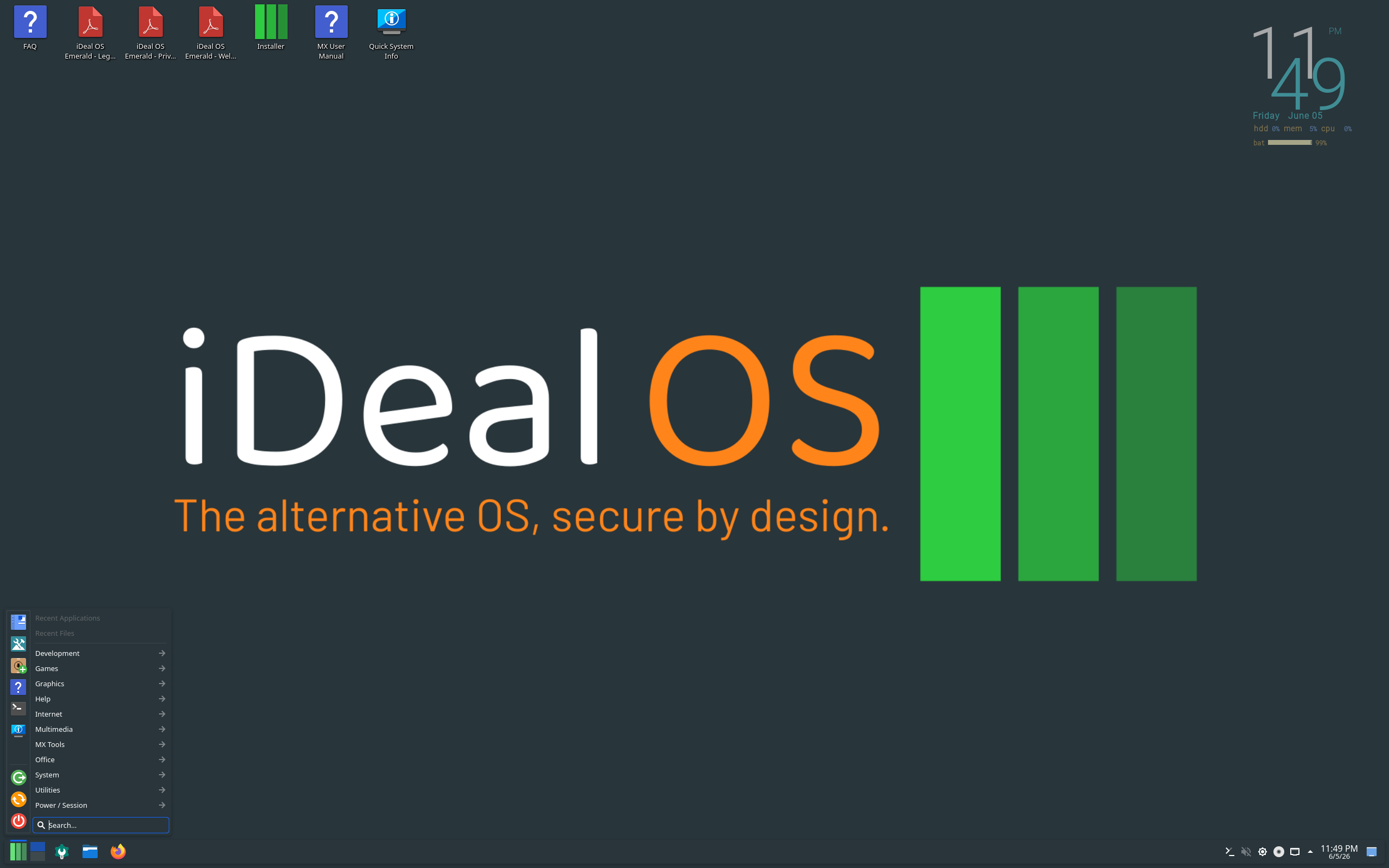
iDeal Review
iDeal OS 2026.09.20: Privacy and Security Turned On by Default, on an MX Linux Base
Most distributions leave privacy as homework for the user. iDeal OS takes the opposite approach. According to its DistroWatch listing, iDeal is an MX Linux-based distribution with various privacy and security settings enabled by default, and privacy and security are the main stated goal of the project — offering, in DistroWatch’s words, a way to surf, shop, trade and bank online with peace of mind, without advertisements, tracking, logging, bugs, viruses or unwanted disclosure of personal information.
The latest release in DistroWatch’s feature table is iDeal OS 2026.09.20, released on 20 September 2026. It is free, listed as Active, and categorised by DistroWatch as a Desktop and Live Medium system. It sits at number 95 in DistroWatch’s popularity rankings with 152 hits per day, and visitors rate it 6.5 out of 10 from 16 reviews — a modest score that reflects a young, specialised project rather than a mass-market desktop.
The foundations are familiar ones. DistroWatch lists iDeal as based on Debian (Stable) and MX Linux, originating in Switzerland, for x86_64 hardware, with KDE Plasma as its desktop. That puts its direct parent front and centre in our MX Linux review — iDeal starts where MX Linux stops, then turns the privacy and security dials up before you ever reach the desktop.
At a Glance
| Latest Release | 2026.09.20 (20 September 2026) |
| OS Type | Linux |
| Base | Debian (Stable), MX Linux |
| Origin | Switzerland |
| Desktop | KDE Plasma |
| Architectures | x86_64 |
| Installer | MX Installer |
| Package Management | apt — deb and Flatpak package formats |
| Release Model | Fixed |
| Init System | systemd |
| File Systems | Btrfs, ext4, JFS, XFS (journaled) |
| Default Browser | Waterfox |
| Office Suite | OnlyOffice |
| Price | Free (ISO image size approx. 4,300–4,400 MB for 2026.09.20) |
| DistroWatch Popularity | 95 (152 hits per day) |
| Visitor Rating | 6.5/10 from 16 reviews |
Privacy First, Not Privacy Later
The defining claim here is not a tool bundled in a menu — it is the defaults. DistroWatch says iDeal ships with various privacy and security settings enabled by default, and frames the whole project around safer everyday activity online: surfing, shopping, trading and banking without advertisements, tracking, logging or unwanted disclosure of personal information.
That everyday framing separates iDeal from a more single-purpose privacy system such as the one in our Tails review. Tails is built around a live, amnesic session; iDeal, by contrast, is listed as a Desktop system as well as a Live Medium, with a full KDE Plasma desktop, OnlyOffice as its office suite in 2026.09.20 and Waterfox as its default browser. The pitch, on DistroWatch’s evidence, is a system you can install and live in — one that starts from privacy settings, rather than one you bolt them onto afterwards.
The browser change is a small but telling detail. In DistroWatch’s feature table, the 2025.08.07 release listed Firefox as the default browser, while 2026.09.20 lists Waterfox. The office suite changed in the same step, from LibreOffice in the older release to OnlyOffice in the new one. Whether those choices suit you is a matter of taste, but they show a project actively curating its default applications around its stated goals.
MX Linux and Debian Stable Underneath
Under the privacy settings, the engineering pedigree is conservative in a good way. DistroWatch lists the base as Debian (Stable) and MX Linux — the same stable foundation covered in our Debian review, carried through MX Linux’s desktop experience before iDeal adds its own layer.
Free Credit Score Monitoring At Sofi
The mechanics follow that lineage. DistroWatch lists the installer as the MX Installer, package management as apt, package formats as deb and Flatpak, the release model as Fixed, and init as systemd. Journaled file systems are listed as Btrfs, ext4, JFS and XFS, and the listing records the system as multilingual. For anyone who already knows Debian-family tooling, there is very little new to learn in order to maintain iDeal — the novelty is in the defaults, not in a reinvented package system.
One Edition Now, Not Two
iDeal’s shape changed in 2026, and DistroWatch records the change plainly. The listing says iDeal OS was formerly available in two editions, “Emerald” and “Diamond”, but these were merged into a single product in 2026, with the extra features of the “Diamond” edition now only available to users who contribute financially to the project. The base system itself remains free, per the feature table, with a free ISO download and an image size of roughly 4,300–4,400 MB for 2026.09.20.
The release cadence in 2026 has been brisk. DistroWatch’s release announcements list iDeal OS 2026.08.08 on 9 August 2026, preceded by 2026.04.03 on 3 April 2026 and 2026.01.31 on 1 February 2026 — and the feature table then moves on to 2026.09.20 in September. That is a fixed-release model, per DistroWatch, but a fast-moving one, which is worth knowing before you settle in: expect regular new images rather than a single long-lived install.
KDE Plasma as the Face of It
Desktop choice gives iDeal a different character from its MX Linux parent, which is best known for lighter desktops. DistroWatch lists KDE Plasma as iDeal’s desktop — in both the summary and as the default desktop in the feature table for 2026.09.20 and the earlier 2025.08.07 release alike.
Plasma fans weighing their options will find a useful contrast in our Kubuntu review, where KDE Plasma sits on an Ubuntu base rather than a Debian Stable and MX Linux one. Here Plasma is the polished, configurable front end for a privacy-minded system, paired with Flatpak alongside deb packages for application choice. If you like Plasma but want Debian-stable foundations and privacy defaults from the first boot, iDeal is aiming squarely at that combination.
Who Should Try iDeal OS?
- Privacy-conscious everyday users — DistroWatch says privacy and security settings are enabled by default, aimed at surfing, shopping, trading and banking without tracking, logging or unwanted disclosure.
- MX Linux users who want a head start on hardening — if MX Linux itself appeals but you would rather start from privacy-minded defaults than set them yourself, iDeal is built on exactly that base.
- KDE Plasma fans on a Debian base — Plasma is the default desktop, with apt, deb and Flatpak packages underneath, per DistroWatch; compare the Ubuntu-based route in Kubuntu’s take on Plasma.
- Live-medium testers — DistroWatch categorises iDeal as a Live Medium as well as a Desktop system, so you can try the 4,300–4,400 MB image before installing with the MX Installer.
- Users curious about a small Swiss project — iDeal originates in Switzerland, is listed as Active, and now ships as a single merged edition after its Emerald and Diamond editions were combined in 2026.
Final Thoughts
iDeal OS 2026.09.20 is a focused idea executed on proven foundations: take MX Linux and Debian (Stable), add KDE Plasma, systemd, apt with deb and Flatpak, the MX Installer, Waterfox and OnlyOffice, and turn privacy and security settings on by default. Its rank of 95 and 6.5/10 visitor rating from 16 reviews say it is still a niche choice — but niche, in this case, is the point.
If you want a privacy-first system you can also use as a full installed desktop — rather than only as a live session like Tails in our review — iDeal is worth a live test, especially if its MX Linux and Debian roots already feel like home. Keep its merged-edition note in mind, though: per DistroWatch, the old Diamond edition’s extra features are now reserved for users who contribute financially, even though the system itself remains free.
Source: DistroWatch’s iDeal OS listing, covering the iDeal OS 2026.09.20 release of 20 September 2026.