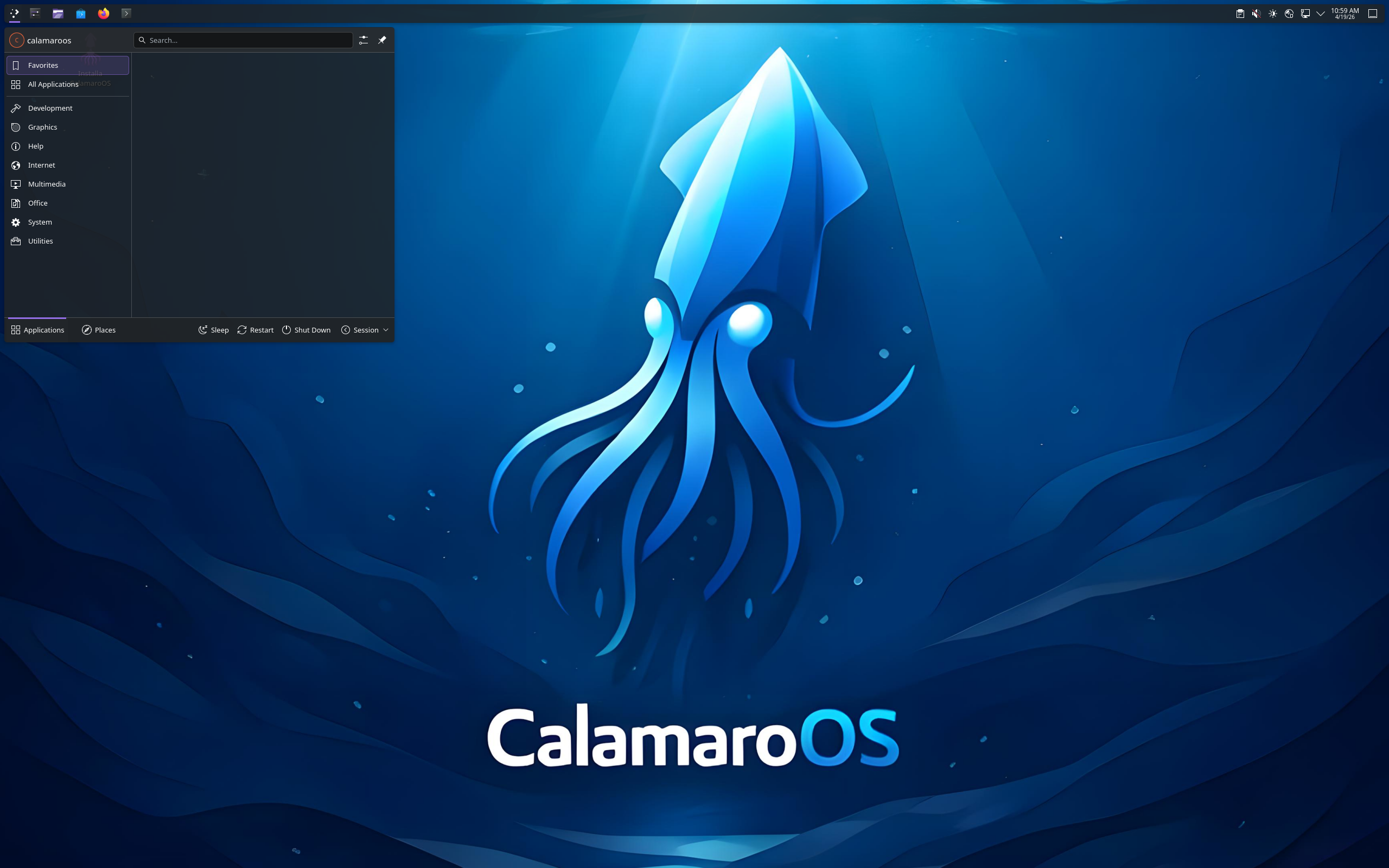
CalamaroOS Review
CalamaroOS 20261001: Gentoo Without the Long Install
Gentoo has a reputation, and it is mostly about patience: a powerful, source-based system that traditionally asks you to build and configure a great deal yourself. CalamaroOS exists to remove that barrier. According to its DistroWatch listing, CalamaroOS is a Gentoo-based Linux distribution for the desktop from Italy, and the project’s stated goal is to bring the power of Gentoo Linux to an average user by eliminating the complex and time-consuming process associated with the classic Gentoo install method.
The newest release in DistroWatch’s feature table is CalamaroOS 20261001, released on 1 October 2026. It is free, listed as Active, built for x86_64 only, and ships as a 3,600–3,700 MB ISO for free download. DistroWatch categorises it as Desktop and Live Medium, so you can try it before you install it.
It is also, by DistroWatch’s numbers, a small project with a strikingly happy early audience. It ranks 83rd in DistroWatch’s popularity rankings with 163 hits per day, and its average visitor rating is 9.7 out of 10 — albeit from just 3 reviews, so treat that score as enthusiastic early feedback rather than a settled verdict. If you want to understand the upstream it is simplifying, start with our Gentoo review; CalamaroOS is what that foundation looks like when someone else does the hard installation work for you.
At a Glance
| Latest Release | CalamaroOS 20261001 (1 October 2026) |
| OS Type | Linux |
| Base | Gentoo |
| Origin | Italy |
| Desktop | Cinnamon, GNOME, KDE Plasma, LXDE, LXQt, MATE, Xfce (listing); KDE Plasma or Xfce highlighted in DistroWatch’s description |
| Architectures | x86_64 |
| Installer | Calamares |
| Package Manager | Portage, per DistroWatch’s feature table |
| Package Formats | flatpak, src, per DistroWatch’s feature table |
| Release Model | Rolling |
| Init System | OpenRC, per DistroWatch’s feature table for 20261001 (DistroWatch’s description also mentions the systemd software suite) |
| File Systems | Btrfs, ext4, XFS (journaled, per DistroWatch’s feature table); BTRFS, XFS and F2FS support named in DistroWatch’s description |
| Category | Desktop, Live Medium |
| Price | Free (ISO image size 3,600–3,700 MB; free ISO download) |
| DistroWatch Popularity | 83 (163 hits per day) |
| Visitor Rating | 9.7 / 10 from 3 reviews |
Calamares Instead of the Gentoo Handbook Marathon
The installer is the whole argument. DistroWatch lists CalamaroOS’s installation method as Calamares — the familiar graphical installer used by many modern distributions — rather than Gentoo’s traditional manual process. That single choice changes who this system is for: you still end up on a Gentoo base with Portage underneath, but you get there by clicking through a guided setup instead of spending an evening compiling and configuring from scratch.
That puts CalamaroOS in the same broad “friendly front door, serious engine underneath” family as our CachyOS review, where an approachable installer is part of the pitch for a performance-minded base. The difference is the base itself — Arch in CachyOS’s case, Gentoo here — and the audience: CalamaroOS is explicitly aimed, per DistroWatch, at the average user who wants Gentoo’s power without Gentoo’s classic install.
Seven Desktops Listed, Plasma and Xfce in Front
Desktop choice is unusually wide on paper. DistroWatch’s listing names Cinnamon, GNOME, KDE Plasma, LXDE, LXQt, MATE and Xfce, while its description narrows the focus to using either KDE Plasma or Xfce. DistroWatch’s feature table for the 20261001 release lists LXDE as the default desktop and Firefox as the default browser — a reminder to check which image you are actually downloading, because the listing covers more desktop flavours than a single default suggests.
That breadth cuts two ways. If you already know your desktop, there is a good chance it is named here: Cinnamon fans will recognise the environment from our Linux Mint review, and Xfce users have a familiar lightweight option also seen in our Xubuntu review. If you are new, the choice can feel like a menu before the meal — in that case, follow DistroWatch’s description and start with the KDE Plasma or Xfce builds it highlights.
Refinance Your Student Loan At Sofi
Portage, Flatpak and a Rolling Model
Underneath the desktops, this remains Gentoo. DistroWatch’s feature table names Portage as the package management and lists the package formats as flatpak and src — source packages in the Gentoo tradition, plus Flatpak, which the description says is supported out of the box. That pairing is the practical compromise: Portage for the system itself, Flatpak for applications you would rather install as ready-made packages than build.
AWS Alternative - Digital Ocean
The release model, per DistroWatch, is rolling, so there is no separate major version to upgrade to every few years: install the 20261001 image and keep rolling forward. The table also lists multilingual support in English and Italian, reflecting the project’s Italian origin, and journaled file systems of Btrfs, ext4 and XFS, with the description additionally naming F2FS support. On init, read DistroWatch carefully: its description mentions the systemd software suite for system and service management, while its feature table for 20261001 lists OpenRC as the init software — a discrepancy in the listing itself worth checking on the live image if init choice matters to you.
Who Should Try CalamaroOS?
- Gentoo-curious users who dread the classic install — per DistroWatch, the project’s entire goal is Gentoo’s power without the complex, time-consuming classic install, delivered through Calamares.
- Desktop users who want real choice — Cinnamon, GNOME, KDE Plasma, LXDE, LXQt, MATE and Xfce are all named in DistroWatch’s listing, with KDE Plasma or Xfce highlighted in its description.
- Rolling-release fans on a source-based base — a rolling model with Portage package management and flatpak plus src formats, per DistroWatch’s feature table.
- Flatpak-first users who still want a traditional base — out-of-the-box Flatpak support is named in DistroWatch’s description, alongside BTRFS, XFS and F2FS filesystem support.
- Not users on older or non-64-bit hardware — DistroWatch lists x86_64 as the only architecture, and the ISO is a hefty 3,600–3,700 MB download.
Final Thoughts
CalamaroOS 20261001 is a clear, appealing proposition: take Gentoo, keep Portage and the rolling model, add Calamares, Flatpak and a wide choice of desktops, and aim the result at average desktop users rather than install-marathon enthusiasts. DistroWatch lists it as Active and free, ranked 83rd with 163 hits per day, and that 9.7 out of 10 rating — from only 3 reviews — suggests the people who have tried it came away impressed.
Try it as a live medium first, confirm which desktop your chosen image actually defaults to, and spend a little time with Portage before deciding whether Gentoo underneath feels like power or overhead for your habits. If it clicks, CalamaroOS may be the gentlest on-ramp to Gentoo in this library — one that respects both your curiosity and your evening.
Source: DistroWatch’s CalamaroOS listing, covering the CalamaroOS 20261001 release of 1 October 2026.