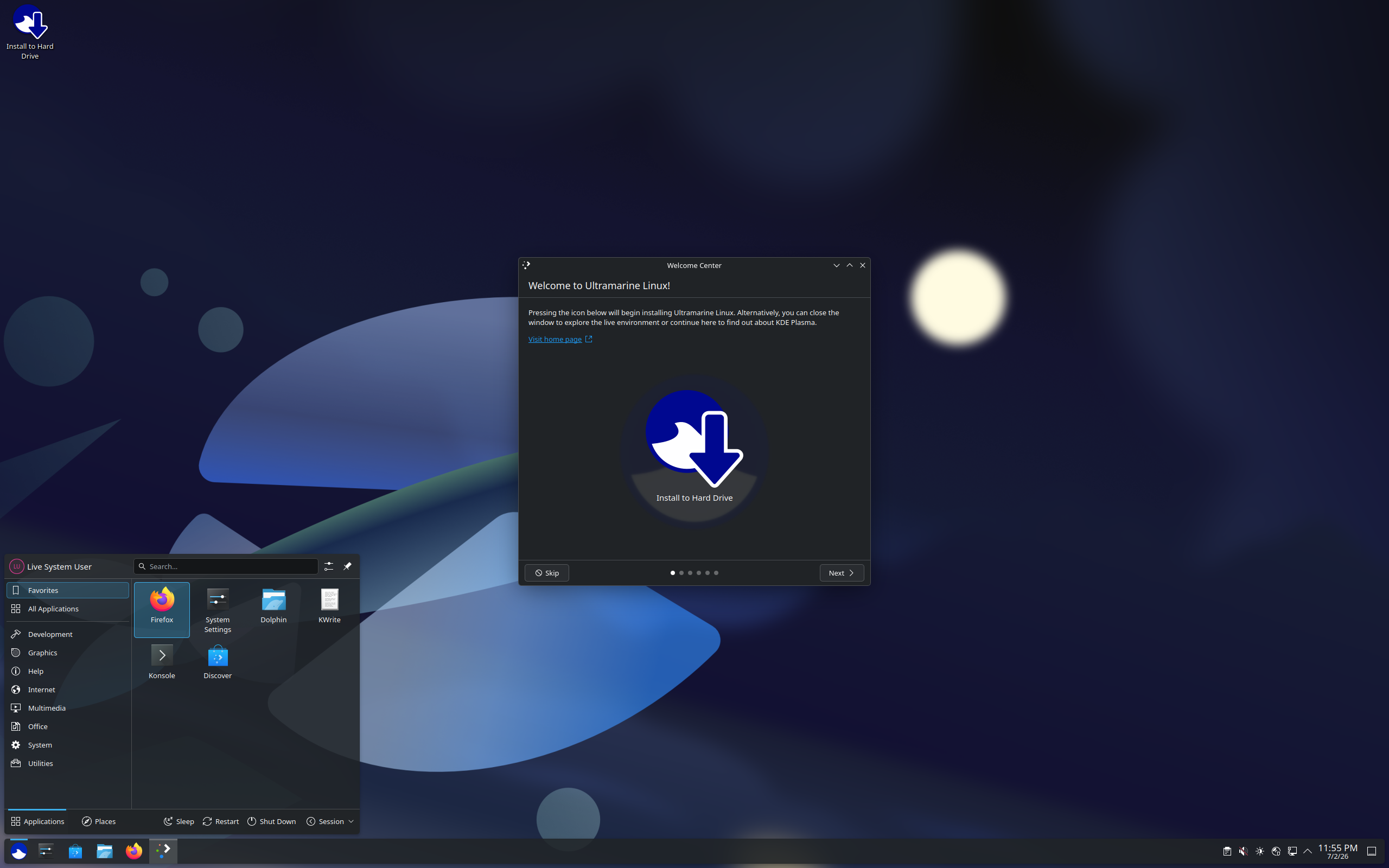
Ultramarine Review
Ultramarine Linux 44: Fedora, Made Desktop-Friendly
Some distributions exist to push boundaries. Ultramarine Linux exists to smooth them. DistroWatch describes it as “a Fedora-based distribution featuring extra package repositories such as RPM Fusion and enabling multimedia codecs” — a project that “can be considered a spiritual successor to Korora Project and aims to make Fedora a more desktop-friendly experience.” If you have ever liked Fedora’s cutting-edge software but bounced off its bare-bones out-of-the-box state, that sentence is aimed directly at you.
The latest version tracked in DistroWatch’s comparison table is Ultramarine Linux 44, released July 2, 2026, following 43 (November 24, 2025) and 42 (October 21, 2025). It is a free, fixed-release system in the Desktop, Live Medium, and Raspberry Pi categories, shipping a roughly 3.5–4.1 GB ISO for both x86_64 and aarch64 hardware, with Firefox and LibreOffice preinstalled, dnf over rpm and flatpak, the Anaconda installer, and systemd. It ranks #57 in DistroWatch’s popularity chart over the last six months (209 hits per day, climbing to #33 over the last three months at 286), and visitors rate it 8.1 out of 10 across 54 reviews.
As a Fedora derivative, Ultramarine sits in a fast-growing family: our Fedora review covers the upstream it is built on, and for two very different Fedora-based projects — one tuned for creators, one for gaming — see our Nobara review and our Bazzite review. Ultramarine plays a different role: the plain, welcoming front door to Fedora.
Ultramarine Linux at a Glance
| Latest release | 44 (released July 2, 2026, per DistroWatch) |
| Base | Fedora |
| Origin / Status | Thailand / Active |
| Category | Desktop, Live Medium, Raspberry Pi |
| Release model | Fixed |
| Default desktop | Budgie, GNOME, KDE Plasma, Xfce |
| Package management | dnf (rpm and flatpak formats) |
| Installer | Anaconda |
| Init system | systemd |
| Architecture | x86_64, aarch64 |
| Image size | 3,500–4,100 MB |
| Default browser | Firefox |
| Office suite | LibreOffice |
| Filesystems | Btrfs, ext4, JFS, XFS |
| Cost | Free |
| DistroWatch popularity | #57 (~209 hits per day over 6 months; #33 over the last 3 months at ~286) |
| Visitor rating | 8.1/10 from 54 reviews |
The Korora Playbook: Codecs and Repos, Done For You
The single most important line on Ultramarine’s DistroWatch page is about RPM Fusion and multimedia codecs. Fedora famously ships a clean but codec-free system: install stock Fedora, press play on an MP3, and you’ll learn what the project philosophy costs you. Ultramarine flips that around. By pre-enabling RPM Fusion’s extra repositories and multimedia codecs, it gives you the “just works” first boot that Fedora purists insist on building themselves — no command-line spelunking required on day one.
DistroWatch also positions Ultramarine as the spiritual successor to the Korora Project, the well-loved Fedora remix that went dormant in 2018. That lineage shows in the design philosophy: don’t reinvent Fedora, just sand down its rough edges. The underlying machinery is the same Fedora you know — Anaconda installer, dnf and rpm, systemd, flatpak support — which means the entire Fedora knowledge base, third-party software ecosystem, and update infrastructure comes along for free.
AWS Alternative - Digital Ocean
Four Desktops, One Foundation
Rather than betting everything on a single flagship edition, Ultramarine ships four desktop variants side by side: Budgie, GNOME, KDE Plasma, and Xfce. That choice is unusually generous — Budgie’s clean, modern workflow for the elegance crowd, GNOME for the Fedora-Workstation faithful, KDE Plasma for the customizers, and Xfce for lighter or older hardware. (Older releases in the table also offered Pantheon, so the desktop lineup has been actively evolving across versions.)
The fixed release model means each edition is a stable snapshot rather than a moving target: install Ultramarine 44 and your desktop stays put while Fedora’s rapid upstream cycle gets tamed into predictable point releases. Version 44 landed in July 2026, 43 in November 2025, 42 in October 2025, and 41 in April 2025 — a steady cadence that mirrors Fedora’s own rhythm while staying one polished step behind it.
Free Credit Score Monitoring At Sofi
Raspberry Pi and ARM: More Than a PC Desktop
The DistroWatch categories tell a story the headline doesn’t: alongside Desktop and Live Medium, Ultramarine lists Raspberry Pi as a category, with aarch64 builds available from release 39 onward. Few Fedora-based distributions take ARM seriously enough to earn that category tag, and it makes Ultramarine one of the more interesting choices for Pi users who want a familiar, full-featured desktop on small boards rather than a stripped-down headless image.
On the desktop side, the specs are straightforward modern Linux: journaled filesystems (Btrfs, ext4, JFS, XFS), multilingual support, and ISOs in the 3.5–4.1 GB range for the latest release. Nothing exotic — which is exactly the point. This is a distribution optimized for the moment you first press play, open the browser, and start working.
The Quiet Climb: DistroWatch Momentum
The numbers behind Ultramarine are worth a closer look. Over twelve months it sits at #62 (211 hits per day), but the trend lines are pointing the right way: #33 over the last three months at 286 hits per day — a meaningful jump in curiosity. The 8.1/10 visitor rating across 54 reviews suggests that the people who try it tend to stay happy with it.
That momentum makes sense in context. The Fedora-remix space has heated up — gaming-focused Bazzite and creator-focused Nobara have drawn crowds to the idea of “Fedora, but tuned for humans.” Ultramarine’s pitch is the most straightforward of the three: no niche, just a friendlier Fedora. As that category grows, the general-purpose option may be the one with the longest staying power.
Who Should Try Ultramarine Linux?
- Fedora-curious beginners — you want Fedora’s modern software without the “now go find the codecs yourself” homework.
- Multimedia users — pre-enabled codecs and RPM Fusion mean press-play-and-go from the first boot.
- Budgie fans — a well-maintained Budgie edition on a Fedora base is a genuinely rare combination.
- Raspberry Pi users — aarch64 builds and a real desktop edition make this a contender for Pi 4/5 desktops.
- Korora nostalgics — the spiritual successor is real, and the philosophy (Fedora, polished) is the one you remember.
- Distro-hoppers on stable ground — four desktops and a fixed-release rhythm make this an easy weekend test drive with no rolling-release surprises.
Final Thoughts
Ultramarine Linux 44 is the least dramatic — and perhaps most useful — kind of distribution: Fedora with the friction removed. Extra repositories, working codecs, four desktop editions, ARM builds for the Raspberry Pi, and a fixed-release cadence that keeps the underlying Fedora machinery predictable. It’s free, actively maintained, climbing DistroWatch’s charts (#33 over the last three months), and rated a solid 8.1/10 by visitors. If you want Fedora’s modern software stack but you’d rather spend your evening using your computer than configuring it, Ultramarine is the Fedora remix to try first — and for the distro that does polished-desktop simplicity from a different family tree, see our Linux Mint review.
For release details, package versions, and the full version history, see the Ultramarine Linux page at DistroWatch (release 44 announced July 2, 2026).