Parrot Review
Parrot 7.4: The Debian-Based Security Distro From Italy
Parrot (formerly Parrot Security OS) is a Debian-based, security-oriented distribution featuring a collection of utilities designed for penetration testing, computer forensics, reverse engineering, hacking, privacy, anonymity and cryptography. That is DistroWatch’s description, and it is refreshingly honest: developed by the Italian outfit Frozenbox, Parrot is aimed at security work first and everything else second. It is not trying to be the friendliest Linux on the block — it is trying to be the most useful one when the job involves breaking into something or proving that nobody else can.
The latest release listed on DistroWatch is Parrot 7.4, announced October 3, 2026. DistroWatch places Parrot at rank 49 in its six-month page-hit ranking (233 hits per day) with an average visitor rating of 8.1 out of 10 across 64 reader reviews — a solid showing for a specialist distribution. If you have not yet read our Debian review, it is worth a look: Parrot is based on Debian Stable, and that foundation explains its conservative update posture compared to rolling security toolkits.
DistroWatch files Parrot under Forensics, Live Medium, Raspberry Pi, and Security. Like its obvious rival, it is a live-bootable toolkit aimed at people who test networks and recover data for a living — which is why you will also want to read our Kali Linux review to see how the two compare. It is free, actively developed, and unapologetically specialized.
Parrot 7.4 at a Glance
| Feature | Parrot 7.4 |
| Release date | October 3, 2026 (per DistroWatch) |
| OS type | Linux |
| Based on | Debian (Stable) |
| Origin | Italy |
| Desktop | MATE, KDE Plasma (default: KDE Plasma for 7.4), LXQt, Enlightenment |
| Architectures | aarch64, armhf, riscv64, x86_64 |
| Category | Forensics, Live Medium, Raspberry Pi, Security |
| Status | Active |
| Installer | Calamares |
| Default browser | Firefox ESR |
| Package format | deb, flatpak |
| Package management | apt |
| Image size | 3900–8300 MB |
| Download formats | IMG, ISO, OVA, QCOW2, UTM, VMDK |
| Price | Free |
| DistroWatch popularity | Rank 49 (233 hits per day, six-month ranking) |
| Average visitor rating | 8.1/10 from 64 reviews |
| Previous releases | 7.2 (May 9, 2026), 7.1 (February 11, 2026), 7.0 (December 24, 2025) |
A Specialist’s Instrument, Not a Daily Driver
The most important thing to understand about Parrot is what it is not. Most distributions on this site — Mint, MX Linux, Debian itself — compete to be your everyday desktop. Parrot does not. Its toolkit is penetration testing, computer forensics, reverse engineering, and privacy work, and the entire system is organized around those tasks: the live-bootable ISO, the ARM and Raspberry Pi support, and the security-tuned defaults.
That specialization shapes the hardware story too. ISO and image sizes run from 3.9 GB to 8.3 GB depending on the edition, because a full security toolkit weighs more than a browser and a terminal. Downloads come in a unusually generous spread of formats — IMG, ISO, OVA, QCOW2, UTM, and VMDK — which tells you a lot about the audience: these are people who boot in virtual machines, flash to USB sticks, and deploy to ARM boards. The Calamares graphical installer is there when you want it on disk, but many users run Parrot live and leave no trace.
Debian Stable Under the Hood
Parrot’s foundation is Debian Stable, and that choice defines its character. Where rolling security distributions chase the newest tool versions, Parrot trades some of that freshness for Debian’s famously dependable base: .deb packages managed by apt, Flatpak support on top for newer applications, and Firefox ESR as the default browser. Readers of our MX Linux review will recognize the same pragmatic DNA — another Debian-based system that values stability over novelty.
The Debian connection also means the command line will feel like home to anyone in the Debian ecosystem. The difference is the payload: instead of a general-purpose office and multimedia stack, Parrot ships a security-first selection tuned for testing, forensics, and privacy work. The 7.x series has moved fast — 7.0 in December 2025, then 7.1, 7.2, and now 7.4 — so while the base is stable, the toolkit keeps current.
Four Desktops to Choose From
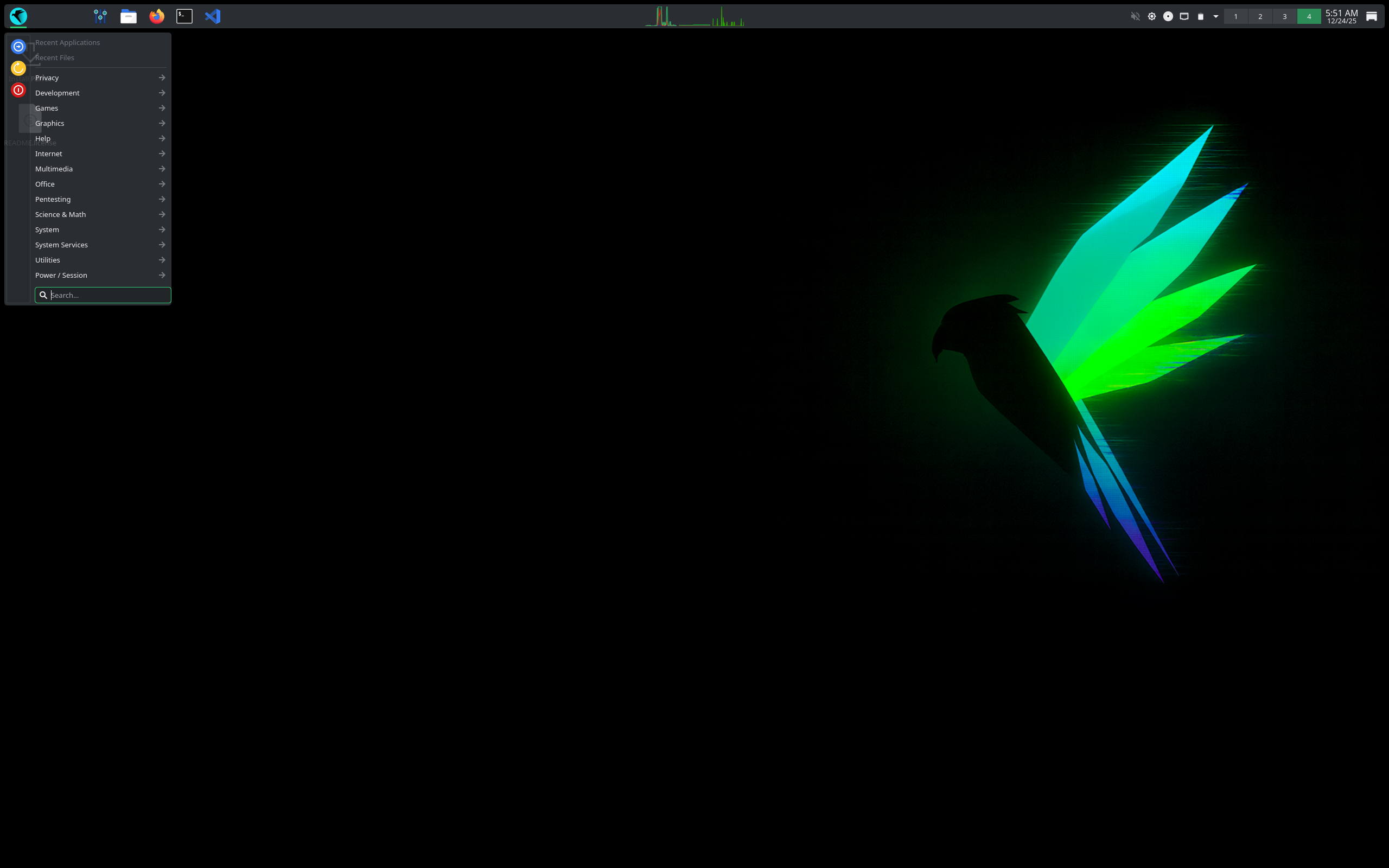
DistroWatch lists four available desktops: MATE, KDE Plasma, LXQt, and Enlightenment. The general description names MATE as the project’s flagship desktop, but DistroWatch’s version comparison table lists KDE Plasma as the default for the 7.4 release — a sign that the project’s emphasis is shifting toward the more modern Plasma experience.
That breadth is a genuine differentiator. MATE keeps the traditional, lightweight feel for modest hardware; LXQt and Enlightenment go even lighter for old laptops and ARM boards; and KDE Plasma gives you the full-featured modern desktop. If you like the MATE-forward approach, our Linux Mint review covers the distribution that arguably popularized MATE for everyday users — though Mint aims at a very different audience.
Parrot vs. Kali: Which Security Distro?
Every review of Parrot eventually invites the Kali comparison, and it is a fair one: both are Debian-based, live-bootable security toolkits filed under the same DistroWatch categories. The short version is philosophy. Kali rides on Debian Testing with a rolling model, chasing the freshest tools at the cost of stability; Parrot is built on Debian Stable, trading some freshness for a steadier base. If your priority is the newest exploits and the newest tools, Kali’s rolling approach wins — our Kali review makes that case. If you want the same security workload on a calmer, more predictable foundation, Parrot’s Stable base is the argument for it.
Both are free, both run on x86_64 and ARM, and both are aimed squarely at professionals and students rather than first-time Linux users. There is no wrong answer — many security people keep both on their USB sticks.
AWS Alternative - Digital Ocean
Who Should Try Parrot?
- Security professionals, penetration testers, and red-teamers who want a security toolkit on a stable Debian base.
- Students studying cybersecurity, ethical hacking, or digital forensics who want a full-featured learning environment.
- Forensics analysts and incident responders who need a live-bootable system for data recovery and analysis.
- Raspberry Pi and ARM tinkerers building wireless-testing or hardware-hacking labs.
- Privacy-conscious users who want a hardened, anonymity-friendly live system.
- Curious Linux users who want a general-purpose Debian-family desktop instead — our Linux Mint review covers the friendlier end of the spectrum.
Final Thoughts
Parrot 7.4 is a specialist distribution that knows exactly what it is. The Debian Stable base gives it solid packaging and the largest software archive in the Linux world, the Calamares installer and choice of four desktops make it approachable by security-distro standards, and the 8.1/10 visitor rating across 64 DistroWatch reviews suggests it delivers for the people it serves.
If you do security work — or want to learn — Parrot deserves a slot on your USB stick, especially if you prefer a stable foundation under your toolkit. Just go in with the right expectations: this is a professional’s instrument, not a first Linux desktop. For everyone else, the Debian, MX Linux, Mint, and Kali reviews linked above cover both the general-purpose and the rolling-release sides of the same family.
For release details, version history, and reader reviews, see the Parrot page at DistroWatch.