Butterbian Review
Butterbian 0.5.0: Debian Stable With a Snapshot Safety Net Built In
Most of us have learned the backup lesson the hard way: an update goes sideways, a config file gets mangled, and suddenly the fix takes longer than the original setup. Butterbian exists so you never have to learn that lesson on your own machine. According to its DistroWatch listing, it is “a Debian-based Linux distribution with out-of-the-box support for the Btrfs filesystem and pre-configured Timeshift” — snapshot insurance that is already switched on the moment you finish installing. Its latest milestone, version 0.5.0 released September 4, 2026, continues that mission on top of a solid Debian Stable foundation.
Where our Linux Mint review covers a beginner distro that wins on polish, Butterbian wins on foresight. It assumes something will eventually go wrong — because on any real system, something eventually does — and makes rolling back the system as ordinary as rebooting. For tinkerers, the curious, and anyone who has ever muttered “I wish I’d taken a snapshot,” that design choice is the whole pitch.
At a Glance
| Latest Release | Butterbian 0.5.0 (September 4, 2026, per DistroWatch) |
| Based On | Debian (Stable) |
| Origin | USA |
| Default Desktop | Xfce (themed) |
| Architecture | x86_64 |
| Installer | Calamares |
| Package Management | apt (Debian dpkg packages) |
| Target Audience | Desktop, Live Medium |
| Status | Active |
| DistroWatch Popularity Rank | 108 (133 hits per day) |
| DistroWatch Visitor Rating | 10.0/10 from 4 reviews |
| Price | Free |
| ISO Size | ~1700–1800 MB |
Snapshot Insurance, Already Switched On
This is the section that matters most, because it is Butterbian’s reason for existing. Per its DistroWatch description, the distro ships with Btrfs as the filesystem and Timeshift pre-configured to take “incremental snapshots of the installed filesystem at regular intervals” — and those snapshots can be restored “directly from the GRUB menu, to undo all changes to the system.”
Read that again: restore directly from the GRUB menu. If an update breaks the system, you reboot, pick a working snapshot at the boot screen, and you are back up in seconds — no live USB rescue session, no terminal archaeology. Timeshift handles the scheduling on its own, apt-driven operations snapshot before they run, and the Btrfs subvolumes are laid out correctly from the start. Getting all of that right by hand on a stock Debian install is fiddly and easy to get wrong; Butterbian just ships it done.
Xfce, Calamares, and a Low-Drama Debian Base
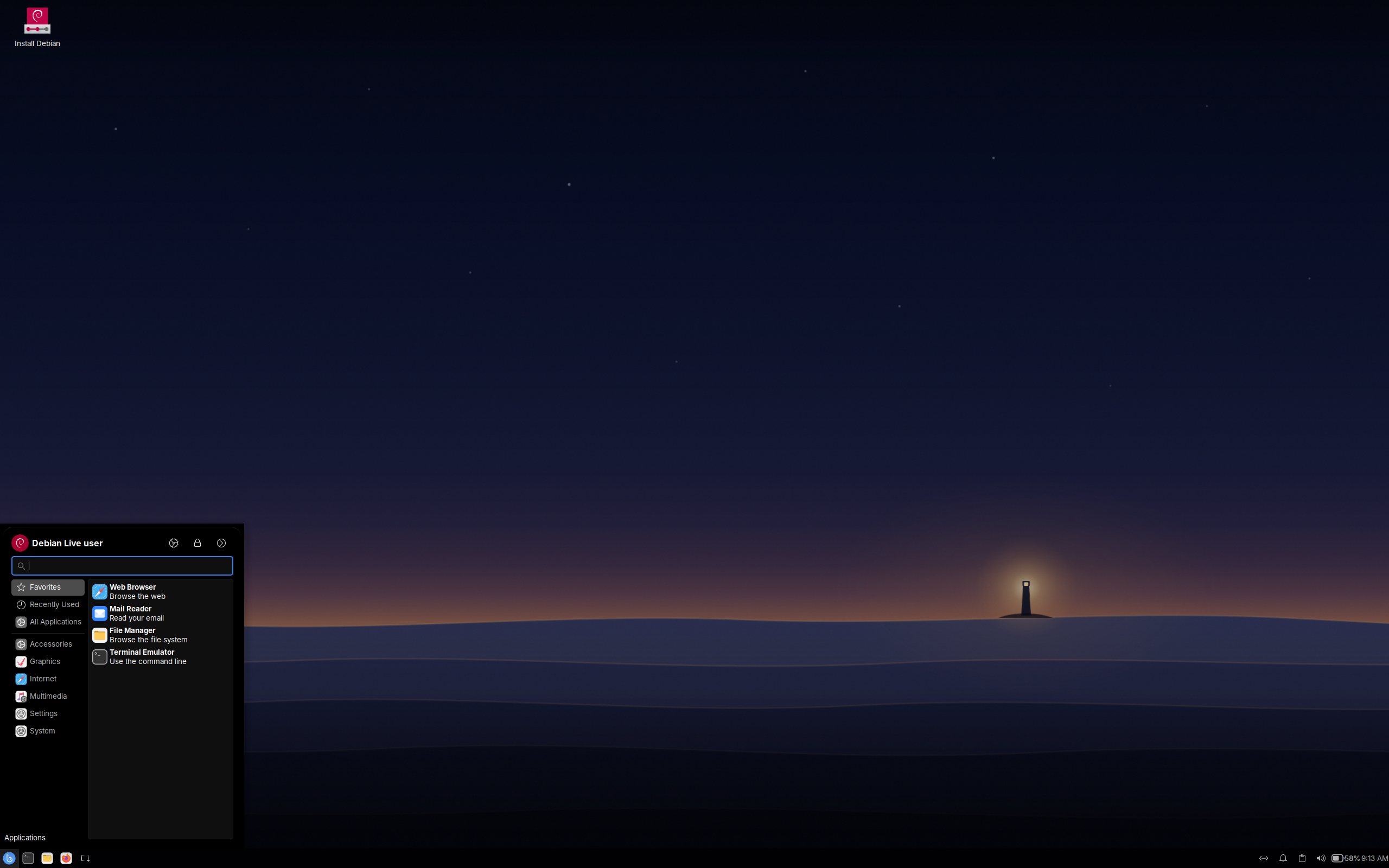
A snapshot stack is only half the story if the desktop it sits under is a hassle, so Butterbian keeps the rest of the system deliberately calm. It boots into a themed Xfce desktop — light on resources, familiar to anyone who has used a classic Linux desktop — and installs through Calamares, the friendly graphical installer used by many community distros. The base is Debian Stable, which brings apt, the enormous Debian software repositories, and years of security updates.
Free Credit Score Monitoring At Sofi
That combination will feel familiar to anyone who has tried another Debian-based option like MX Linux, which also pairs Debian with Xfce and a careful hand at system tools. Where MX Linux is a full toolkit for tinkerers, Butterbian is narrower and more opinionated: Debian plus Xfce, with the entire identity built around the snapshot story. If you like the Debian way of doing things but want one standout feature done properly, our Debian review covers the upstream base itself.
Refinance Your Student Loan At Sofi
Butterknife: The Minimalist Sibling
The DistroWatch listing mentions that the Butterbian project also develops Butterknife — a command-line-only live image with a text-mode system installer that offers more choices in terms of filesystems and window managers. It is the answer for the other kind of user: someone who wants the Butterbian philosophy but would rather build their own desktop from scratch than accept the themed Xfce default.
Projects that ship multiple editions tend to understand their audience well, and this one clearly does. Casual users get Butterbian with everything decided for them; minimalists get Butterknife and a blank canvas. Distros that take a similarly modular approach, like SparkyLinux with its many editions, show that offering a slim variant alongside the flagship is a sign of a healthy, growing project rather than feature creep.
Who Should Try Butterbian?
- Tinkerers who break things and know it — if you experiment with your system, GRUB-menu rollback turns “oops” into a five-second inconvenience.
- New Linux users nervous about updates — the safety net is invisible until the day it saves you, and it needs no setup.
- Anyone setting up a machine for someone else — a remote “just reboot and pick the snapshot” fix beats a support call.
- Debian fans who want Btrfs done right — all the Debian stability, with the snapshot layer Debian doesn’t ship by default.
- Minimalists — Butterknife gives you the project ethos without the full desktop.
Final Thoughts
Butterbian is a small, focused distro with one big idea: your system should be snapshotted before anything breaks it, not after. Version 0.5.0 pairs that idea with Debian Stable, a themed Xfce desktop, and a Calamares installer that keeps setup painless. A DistroWatch visitor review of the project calls it “a snapshot stack that actually works from day one” — and that is exactly the review-in-one-line version.
It won’t dethrone the big Debian-family names for sheer polish — our Linux Mint review covers the mainstream alternative — but it doesn’t try to. Butterbian is for people who’d rather spend their Linux time experimenting than recovering. If that sounds like you, the safety net is already built; you just have to boot it.
Source: Butterbian 0.5.0 facts and release date from its DistroWatch listing at distrowatch.com/table.php?distribution=butterbian.