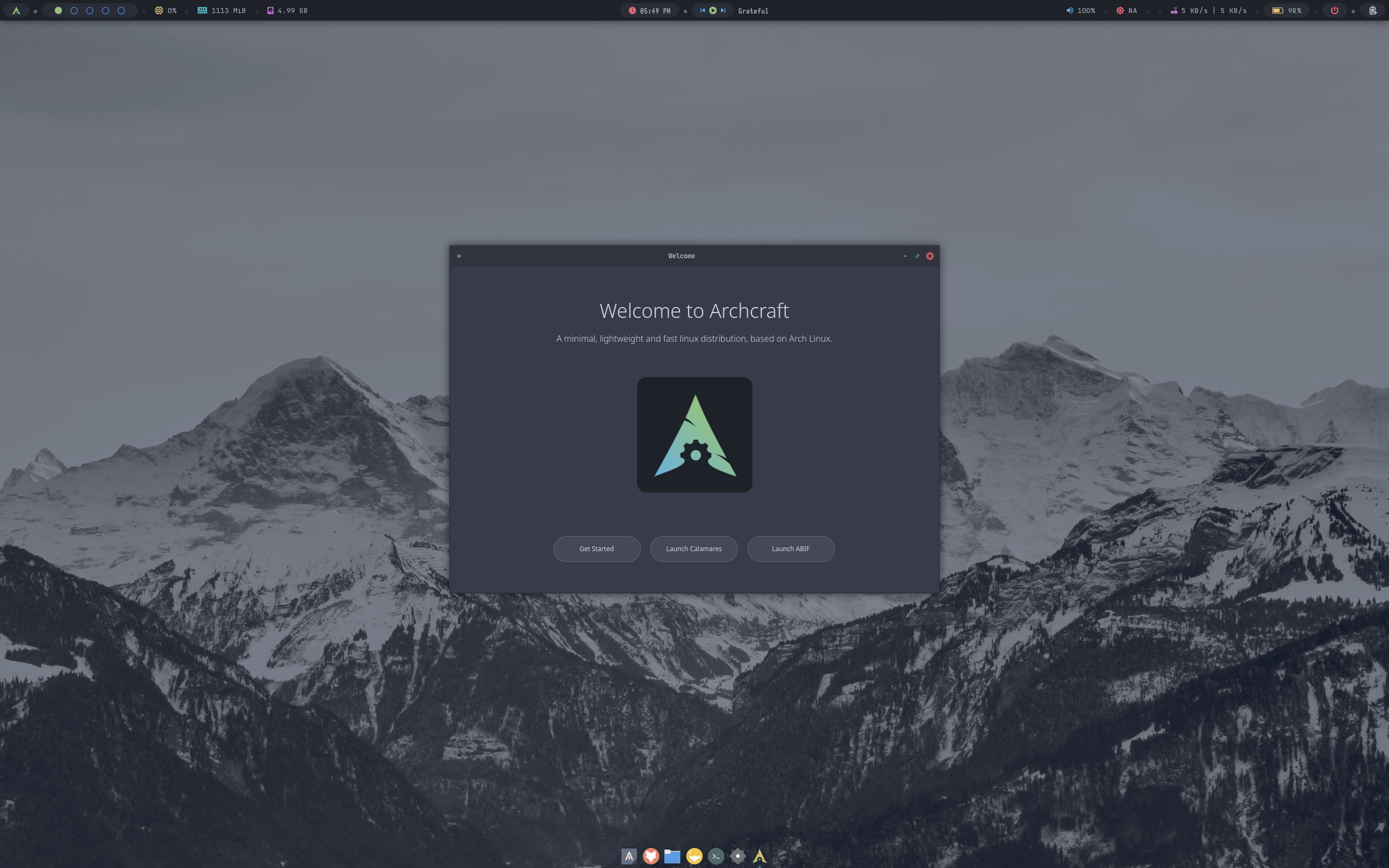
Archcraft Review
Archcraft 2026.08.01: Minimal Arch, Window Managers Instead of a Heavy Desktop
Most Arch-based distributions try to make Arch friendlier by adding a full desktop environment. Archcraft takes the opposite route. According to its DistroWatch listing, Archcraft is a minimal Linux distribution based on Arch Linux, and the project provides a graphical user interface using minimal window managers rather than full featured desktop environments. That one decision shapes everything about it — how light it feels, how it looks, and who it will suit.
The latest release listed by DistroWatch is Archcraft 2026.08.01, released on 1 August 2026, with earlier announcements for 2026.05.12 on 13 May 2026 and 2026.02.02 on 3 February 2026 also shown in its recent releases list. DistroWatch lists Archcraft as Active and free, originating in India, for the x86_64 architecture only, and categorised as Desktop and Live Medium. If you like the Arch base but want a ready-made desktop on top of it, compare this approach with our CachyOS review, which builds a very different, performance-focused desktop experience on the same foundations.
It is a reasonably well-known niche project by DistroWatch’s numbers. Archcraft ranks 85th in DistroWatch’s popularity rankings with 160 hits per day, and its average visitor rating is 8.6 out of 10 from 63 reviews — a solid score from a meaningful number of readers, suggesting the people who seek out this kind of minimal, window-manager-first system tend to be pleased with what they find.
At a Glance
| Latest Release | Archcraft 2026.08.01 (1 August 2026) |
| OS Type | Linux |
| Base | Arch |
| Origin | India |
| Desktop | bspwm, MATE, Openbox, Sway (DistroWatch’s feature table for 2026.08.01 lists Openbox and Sway as the default desktops) |
| Architectures | x86_64 |
| Installer | Calamares |
| Package Manager | pacman, with yay included to facilitate fetching software from the Arch User Repository, per DistroWatch |
| Package Formats | pkg |
| Release Model | Rolling |
| Init System | systemd |
| File Systems | Btrfs, ext4, JFS (journaled file systems listed for 2026.08.01) |
| Category | Desktop, Live Medium |
| Price | Free (ISO image size 3,500–3,600 MB for 2026.08.01, per DistroWatch’s feature table; free ISO download) |
| DistroWatch Popularity | 85 (160 hits per day) |
| Visitor Rating | 8.6 / 10 from 63 reviews |
Window Managers First, by Design
The headline choice is what Archcraft does not ship by default: a heavy desktop. DistroWatch lists bspwm, MATE, Openbox and Sway in its listing, and its feature table for 2026.08.01 names Openbox and Sway as the default desktops, with Firefox as the default browser. Openbox gives you a traditional, floating window manager that is light and highly configurable; Sway offers a tiling, Wayland-based alternative. Either way, the interface is meant to stay out of the way and leave system resources for your work, rather than for desktop effects.
That minimal approach will feel familiar to readers of our ArchBang review, another Arch-based system built around a lightweight window-manager experience. Archcraft’s distinction, per DistroWatch’s description, is that it presents those minimal window managers as the project’s graphical interface itself — a curated, ready-to-use take on an idea that Arch users often assemble by hand over many hours.
Calamares, pacman and yay: Arch Without the Manual Install
For all its minimalism, Archcraft does not make you install Arch the manual way. DistroWatch says Archcraft is installed using the Calamares system installer — the same graphical installer used by many beginner-friendlier distributions — and its feature table confirms Calamares for 2026.08.01. That lowers the barrier considerably: you get an Arch base, a rolling release model and systemd as the init system, per DistroWatch’s feature table, without partitioning and configuring everything from a command line.
Software follows the Arch pattern too. DistroWatch’s feature table lists the package format as pkg and package management as pacman, and its description adds that Archcraft includes the yay package manager to facilitate fetching software from the Arch User Repository. In practice that means official Arch repositories through pacman, plus the vast community AUR through yay. Readers weighing other guided ways into Arch should also see our EndeavourOS review, which likewise uses an installer-led route onto an Arch base but pairs it with full desktop choices rather than minimal window managers.
Rolling, x86_64 Only and Honest About Its Scope
Archcraft’s scope is deliberately narrow, and DistroWatch’s listing makes that clear. It is x86_64 only — no 32-bit x86 and no ARM edition is listed — and its feature table for 2026.08.01 lists journaled file systems as Btrfs, ext4 and JFS, multilingual support as Yes, and no office suite included. The ISO, at 3,500–3,600 MB per DistroWatch, is not tiny for a supposedly minimal system; the size reflects a complete, live, installable image rather than a bare net-installer.
As a rolling-release distribution, Archcraft is never finished in the fixed-release sense: you install once and keep updating. That suits users who want current Arch packages without reinstalling, and it matches the pattern in our Manjaro review, another rolling Arch-based option — though Manjaro holds packages back on its own branches and offers full desktops, while Archcraft stays closer to a minimal window-manager setup on Arch itself.
Who Should Try Archcraft?
- Arch-curious users who prefer window managers — DistroWatch describes Archcraft as a minimal Arch-based distribution providing a graphical interface using minimal window managers rather than full featured desktop environments, with bspwm, MATE, Openbox and Sway listed.
- Users who want Arch without a manual install — DistroWatch says Archcraft is installed using the Calamares system installer, so setup is graphical rather than command-line only.
- AUR users — DistroWatch says Archcraft includes the yay package manager to facilitate fetching software from the Arch User Repository, alongside pacman and the pkg format.
- Fans of a light, rolling desktop — DistroWatch lists a rolling release model, systemd init, and Desktop and Live Medium categories, so you can try it live before installing.
- Not users who need other architectures or a full office-ready desktop out of the box — DistroWatch lists x86_64 only, and its feature table shows no office suite for 2026.08.01.
Final Thoughts
Archcraft 2026.08.01, released on 1 August 2026 per DistroWatch, is a focused idea executed cleanly on paper: take Arch, keep it rolling and free, install it with Calamares, manage software with pacman and yay, and present it through minimal window managers — Openbox and Sway by default in this release, with bspwm and MATE also listed — instead of a heavy desktop. DistroWatch lists it as Active, ranked 85th with 160 hits per day, and rated 8.6 out of 10 from 63 reviews.
If a full desktop feels like overhead and you have always wanted a pre-configured window-manager Arch system you do not have to rice from scratch, boot Archcraft as a live medium first. If you need a conventional desktop, broad architecture support or a fixed-release cadence, look elsewhere — Archcraft is honest about being a minimal, x86_64, rolling window-manager distribution, and that honesty is much of its appeal.
Source: DistroWatch’s Archcraft listing, covering the Archcraft 2026.08.01 release of 1 August 2026.